
You can buy RapidSSL, GeoTrust and DigiCert certificates from our store. If the domain is hosted with us, we set up and install the certificate for you.
Order
- Go to SSL Certificates in our store (Products > SSL Certificates).
- Pick a validation level (DV, OV, EV or Wildcard) and click Buy Now on the certificate you want. Not sure? See Free or Paid, Which Do I Need?.
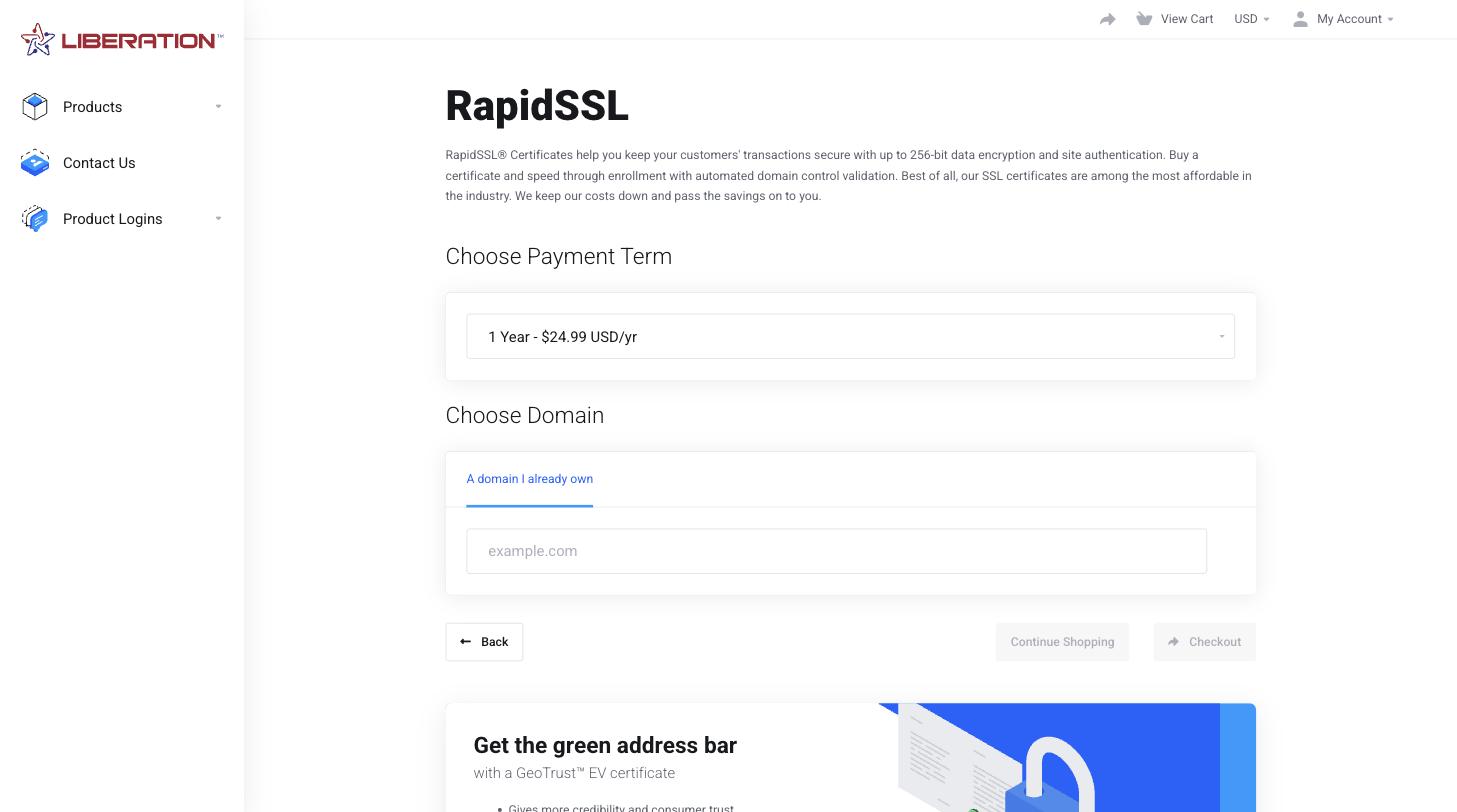
- Choose the payment term. Longer terms cost less per year.
- Under Choose Domain, enter the domain the certificate is for. If you're logged in you can pick one of your existing domains or add it to a subdomain.
- Click Checkout and complete the order.
What happens next
- Domain hosted with us (cPanel): setup is automatic. We create the request, prove you control the domain, and install the certificate once it's issued. DV certificates are usually active within minutes. You don't need to do anything else.
- Domain hosted somewhere else: you'll get an email asking you to configure the certificate. See Set Up a Paid Certificate for a Site Hosted Elsewhere.
- OV and EV: the certificate authority (DigiCert, which issues RapidSSL and GeoTrust too) will contact you to verify your organization, usually by email and phone. Reply quickly to avoid delays.
Where to find your certificate
In the Client Area, go to Services > My Services and open the certificate. If you bought it as an add-on to hosting, open the hosting service and look under its add-ons. From there you can check its status and use the actions described in Pending Validation, Reissues and Renewals.
Certificate lifetimes are getting shorter
Industry rules now limit how long a single certificate can last: 200 days from March 2026 (199 days for DigiCert), dropping to 100 days in 2027 and 47 days in 2029. You can still buy one-, two- or three-year terms. During your term the certificate is reissued automatically before each one expires.
- On our hosting, each new certificate is installed for you.
- For a site hosted elsewhere, you'll get an email each time and need to install the new certificate. See Set Up a Paid Certificate for a Site Hosted Elsewhere.
Tip: The free certificate included with your hosting renews itself automatically too. See Install a Free SSL Certificate in cPanel.
