
Once someone has a user account, you manage everything about it from the Hub manager in the Client Area.
- Log in to the Client Area.
- Click Hub for Teams in the menu. You can also go to Services > My Services, open your Hub service and click Click here to manage Hub for Teams.
- Click the User Accounts tab and click the pencil next to the user.
Overview
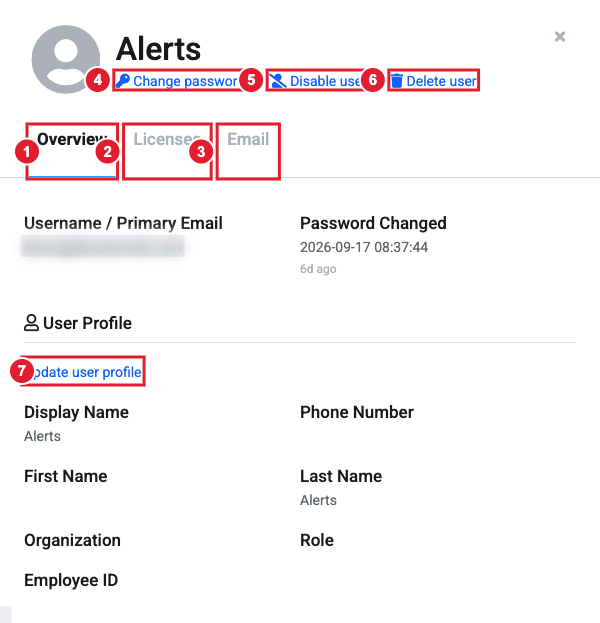
(1) Overview (2) Licenses (3) Email (4) Change password (5) Disable user (6) Delete user (7) Update user profile
- Change password: set a new password for the user (8+ characters with a number, a lowercase and an uppercase letter), or click Generate Password.
- Update user profile: change the display name, first and last name, phone number, organization, role and employee ID.
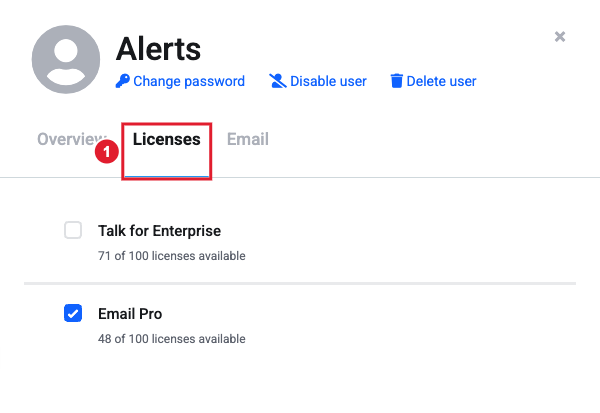
Licenses
Tick or untick a license to give it to the user or take it away. The number still available is shown under each license.
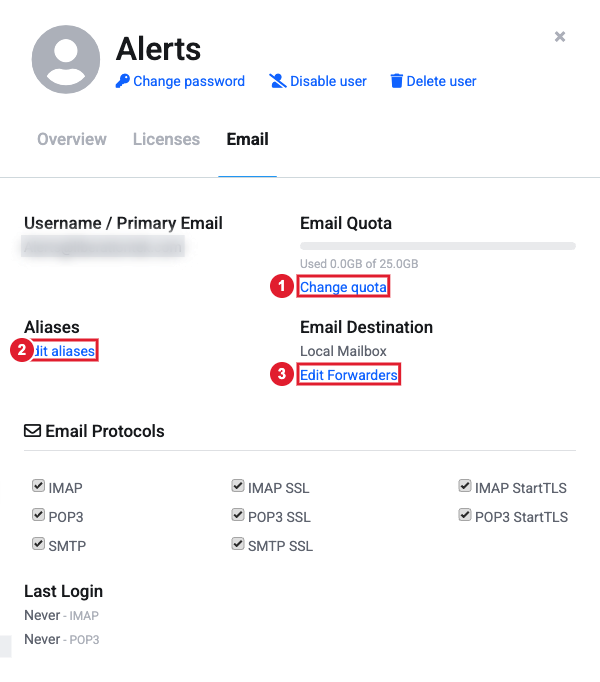
(1) Change the mailbox size (2) Add aliases (3) Forward this person’s mail
- Change quota: set how much storage the mailbox can use. The limits depend on the email license.
- Edit aliases: add extra addresses that deliver to this mailbox. Tick Enable catch all on this mailbox to receive mail sent to any address at the domain that doesn't exist.
- Edit Forwarders: send this person's mail on to other addresses. Keep Deliver messages to mailbox ticked if they should still get a copy.
- Email Protocols and Last Login show how and when the mailbox was last used by a mail app.
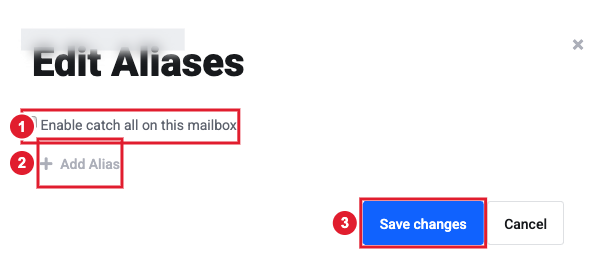
(1) Catch-all (2) Add Alias (3) Save changes
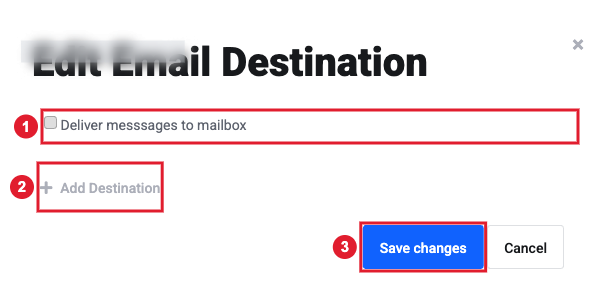
(1) Keep a copy in the mailbox (2) Add Destination (3) Save changes
Files
Users with a Hub license also have a Files tab where you can change their file storage quota and see when they last logged in to the Hub.
Disable or delete a user
- Disable user blocks the person from logging in but keeps their mail and files. Use this when someone leaves and you still need their data. Click Enable user to turn the account back on.
- Delete user removes the account.
Move a user's files to someone else
Transfer File Ownership is not self-service yet. To move all of a user's files to another user, open a support ticket and tell us both usernames.
