
For custom work (a website build, a migration, a larger email rollout or a mix of services) we'll send you a quote first. You can review and accept it in the Client Area.
Request a quote
- Go to Support > Open Ticket and choose the Sales department.
- Describe what you need: the services, how many users or sites, any deadlines, and your budget if you have one.
- We'll reply with a quote in your Client Area and email you when it's ready.
Review and accept a quote
- Log in to the Client Area and go to Billing > My Quotes.
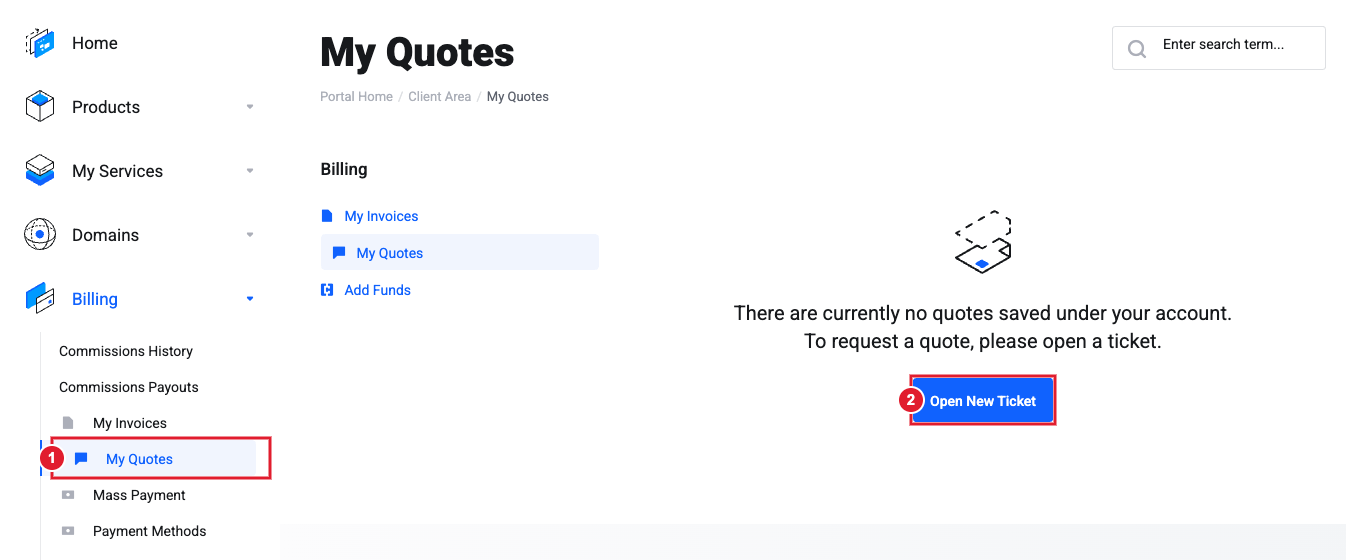
(1) Billing > My Quotes (2) No quotes yet? Open a ticket to request one.
- Open the quote to see every line item, the total and how long the quote is valid.
- Download it as a PDF if someone else needs to approve it.
- Click Accept Quote when you're ready. An invoice is created from the quote, and work starts once it's paid.
Tip: Want something changed before you accept? Reply on your Sales ticket instead of accepting, and we'll send an updated quote.
Still need help?
Open a support ticket and include the details listed above so we can resolve it on the first reply.
