
You can decide which types of email the Client Area sends you, and look up any email we've already sent, which is handy when an invoice or welcome email has gone missing.
Choose which emails you receive
- Log in to the Client Area and click your name (top right) > Account Details.
- Scroll to Email Preferences and tick the types you want:
- General Emails: all account-related emails.
- Invoice Emails: new invoices, reminders and overdue notices.
- Support Emails: a copy of all support ticket messages.
- Product Emails: welcome emails, suspensions and other service notices.
- Domain Emails: registration, transfer and renewal notices.
- Affiliate Emails: affiliate notifications.
- Click Save Changes.
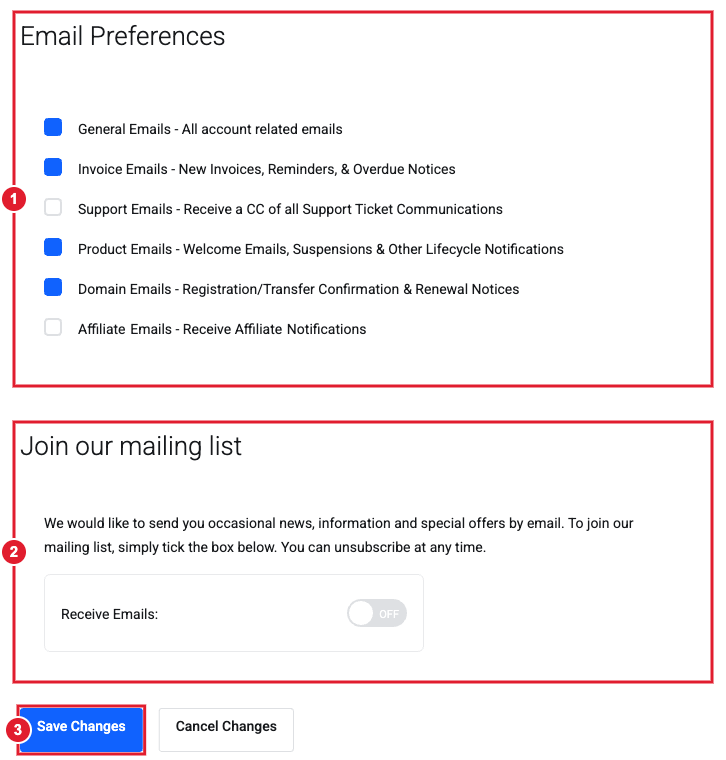
(1) Email Preferences: tick the types you want (2) Mailing list (news and offers only) (3) Save Changes
Important: We strongly recommend leaving Invoice, Product and Domain emails turned on. They warn you before a payment fails, a service is suspended or a domain expires.
The mailing list tick box at the bottom of the same page only covers occasional news and offers. Unticking it doesn't stop account emails.
Send copies to someone else
To have invoices also go to your bookkeeper, add them under your name > Contacts and tick the email types they should receive.
Find an email we sent you
- Click your name > Email History.
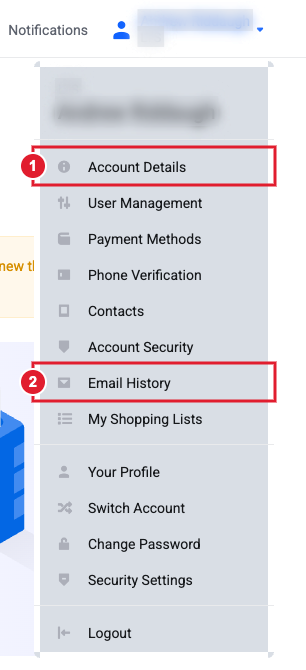
(1) Account Details (email preferences) (2) Email History
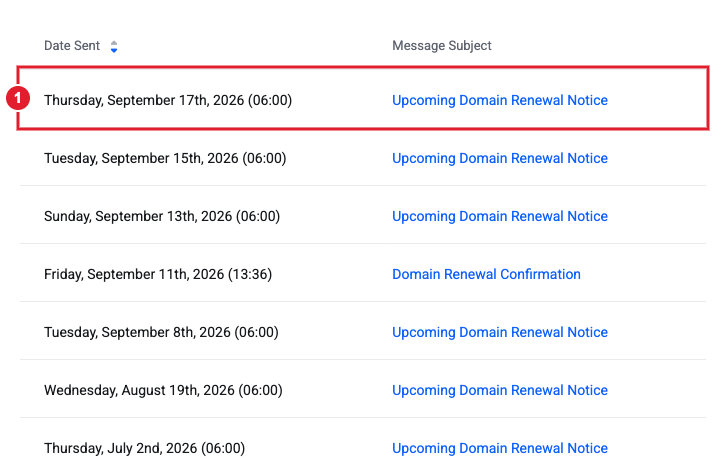
- You'll see every email we've sent, with the date and subject (for example Upcoming Domain Renewal Notice).
- Click an email (1) to open a full copy of it. It opens in a new window, so allow pop-ups for this site if nothing appears.
Tip: Can't find one of our emails in your inbox? It's usually in Spam or Junk. Add our sending address to your contacts so future emails land in your inbox.
Still need help?
Open a support ticket and include the details listed above so we can resolve it on the first reply.
