
Your Liberation account can be shared safely with a bookkeeper, assistant, web developer or new business partner, without sharing your password. This guide covers giving someone access, changing the email address you log in with, updating billing details, and handing the account to a new owner.
Give someone access to your account
- Log in to the Client Area. Click your name (top right) > User Management, or go to User Management directly.
- Click (1) Invite New User.
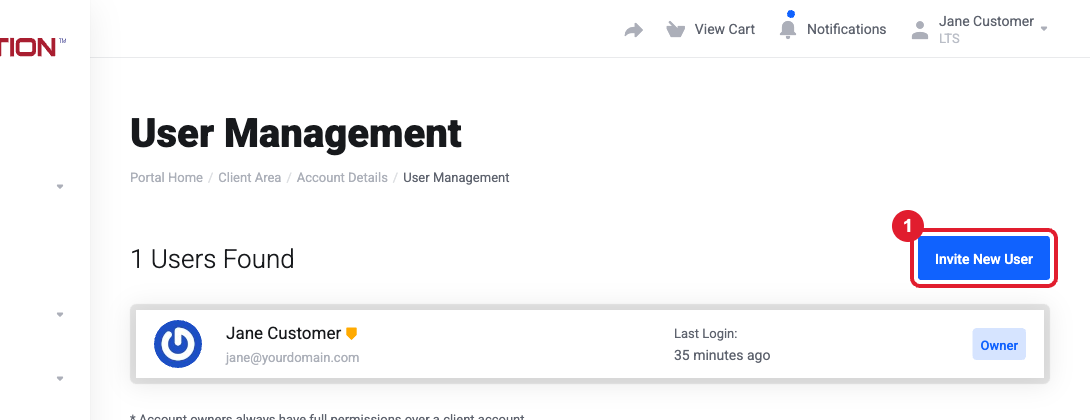
- Enter the person’s email address and choose All Permissions, or Choose Permissions to limit what they can do (for example, only view invoices, or only manage products). Click Send Invite.
- They receive an email invitation. If they already have a Liberation login they use it; otherwise they create one. Each person keeps their own password.
Tip: To remove someone’s access later (for example when a developer finishes), go back to User Management and remove them. Nothing else changes.
Change the email address you log in with
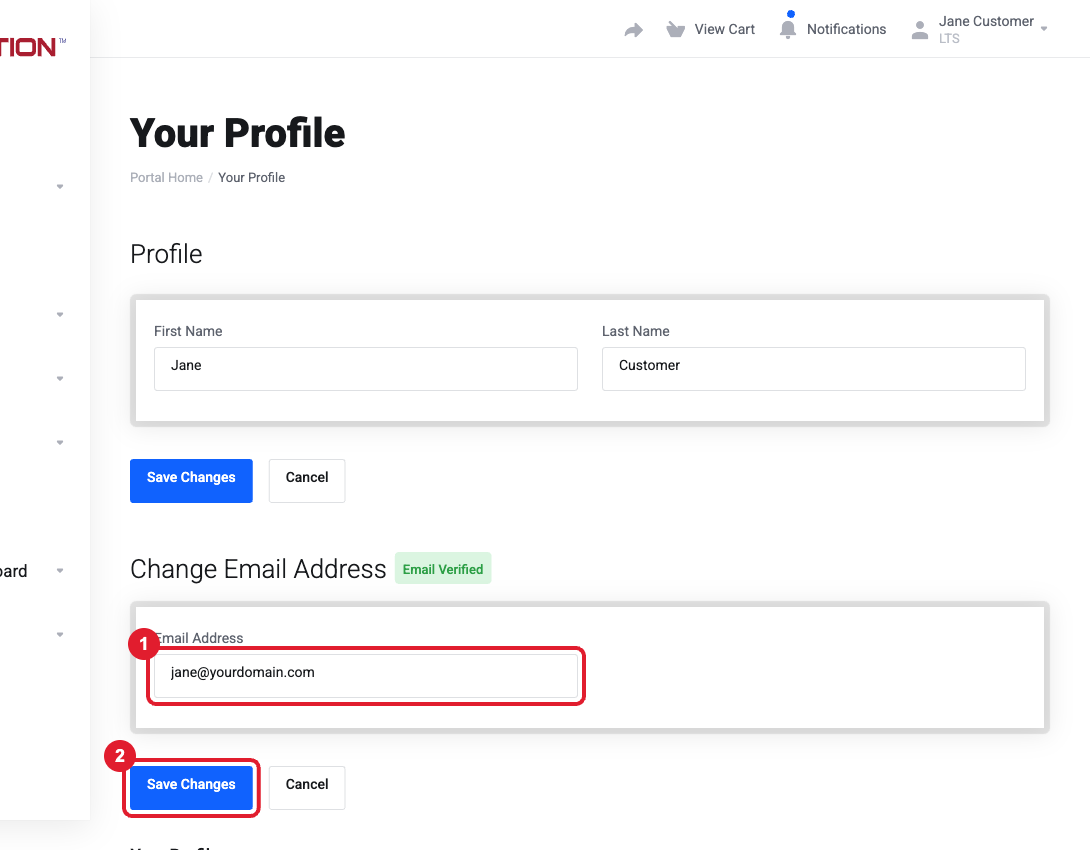
- Click your name (top right) > Your Profile.
- Under Change Email Address, enter the new address (1) and click (2) Save Changes.
- Confirm the new address from the verification email we send.
Update your billing name, company, email, phone or address
- Go to Account Details (click your name > Account Details).
- Update the fields and click Save Changes at the bottom. Keep the address matching your card’s billing address, or card payments may be declined.
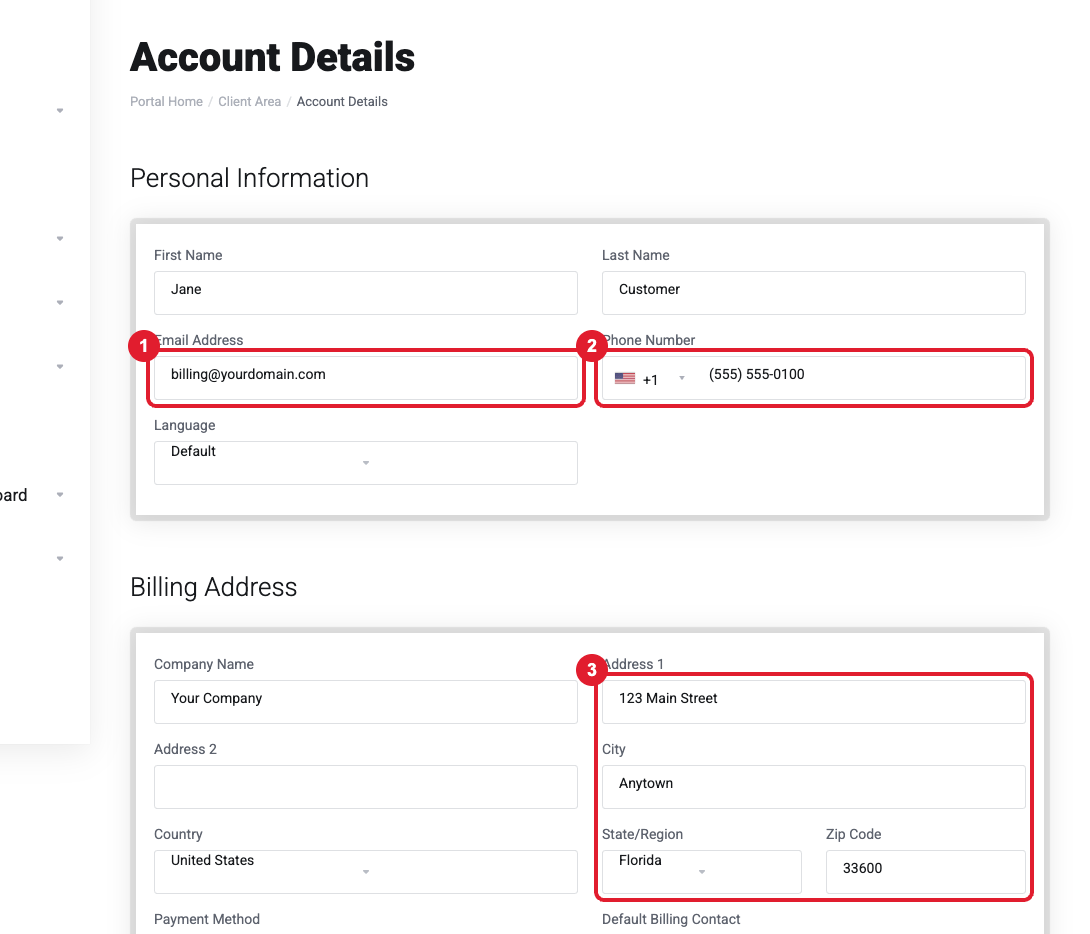
- Further down the same page, choose which types of email (invoices, support, domain notices) go to the account email.
Important: Your account details are separate from each domain’s owner (registrant) details. To change who a domain is registered to, open the domain > Contact Information. See Is this domain email real? Domain verification and registrar notices explained.
Add a contact who receives emails (without logging in)
Want invoices to also go to your bookkeeper? Go to Contacts (click your name > Contacts), add them, and tick the email types they should receive, such as invoice emails.
Transfer the account (or one service) to a new owner
- Whole account (e.g. a new ministry leader or business owner): invite the new person as a user with All Permissions, then open a ticket from the current owner asking us to make them the owner. We’ll then update the account details and payment method with them.
- One service or domain to another Liberation customer: open a ticket from the current owner naming the service and the new owner’s account email. We move it between accounts.
- A domain leaving Liberation for someone else’s registrar: see How to transfer a domain to or away from Liberation.
Still need help?
Ownership changes must be requested by the current account owner (or someone with full permissions) for security. Open a support ticket and include the details listed above so we can resolve it on the first reply.
