
Our affiliate (partner) program pays you for referring new customers to Liberation. This guide shows where everything is in your client area, how commission works, and how to get paid.
Not an affiliate yet? If you do not see Affiliate Dashboard in the left menu, open a Sales ticket and ask to join. We will activate your affiliate account.
Where to find your affiliate tools
Log in to the Client Area and click Affiliate Dashboard in the left menu to open it.
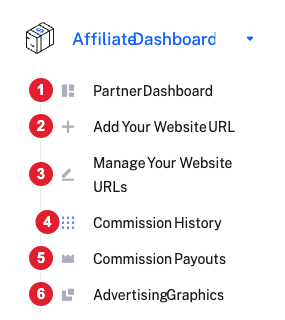
The Affiliate Dashboard menu: (1) Partner Dashboard, (2) Add Your Website URL, (3) Manage Your Website URLs, (4) Commission History, (5) Commission Payouts, (6) Advertising Graphics.
Your Partner Dashboard and referral link
Click Partner Dashboard. This page shows your balance and your referral link.
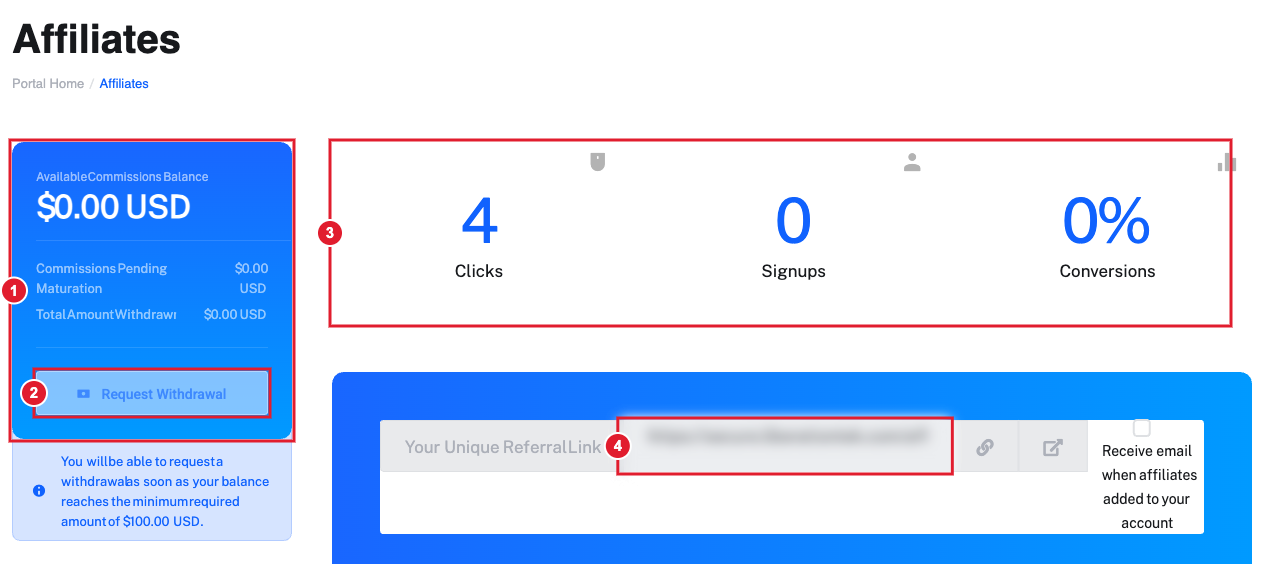
The Partner Dashboard: (1) your commission balance, pending commissions and total withdrawn, (2) Request Withdrawal, (3) clicks, signups and conversions, (4) Your Unique Referral Link.
Copy Your Unique Referral Link and share it on your website, in emails, in videos and podcasts, or on social media. Anyone who clicks it and then orders is tracked to you.
How you earn
- You earn 10% of every payment your referrals make, for as long as they remain customers.
- A referral is tracked when the customer signs up through your referral link, so ask new customers to use it before they order.
- New commissions can show as Pending on your dashboard before they become available to withdraw.
- Referred someone who ordered without your link? Open a Sales ticket with their name or company and we will review adding them to your account.
- If you have members, readers or listeners, ask us in a Sales ticket about a partner code that gives them a discount. Tell us when someone orders with your code so we can credit your account.
Add your own website
Click Add Your Website URL, type your website address in the Domain field, and click Add Domain. Use Manage Your Website URLs to review the addresses you have added.
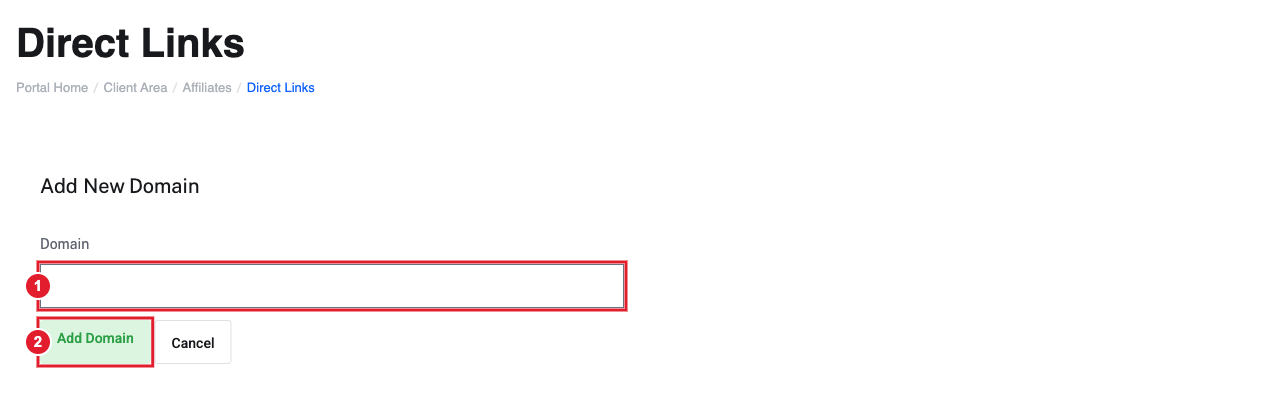
Add New Domain: (1) the Domain field, (2) Add Domain.
Check your commissions and payouts
Commission History lists each commission you have earned, with the date, the referral, the product or service, its status and the amount.
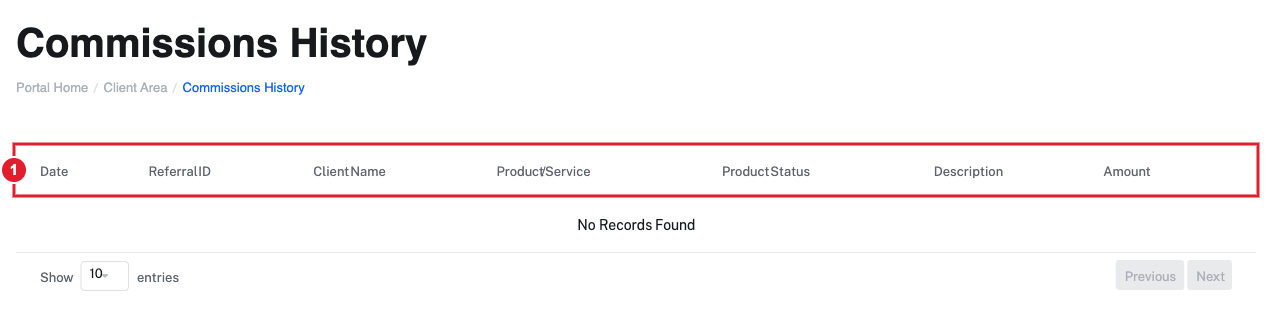
Commissions History: (1) the table of commissions you have earned. It stays empty until your first referral pays.
Commission Payouts is your record of what we have paid you, with the date, amount, payout method and transaction ID.
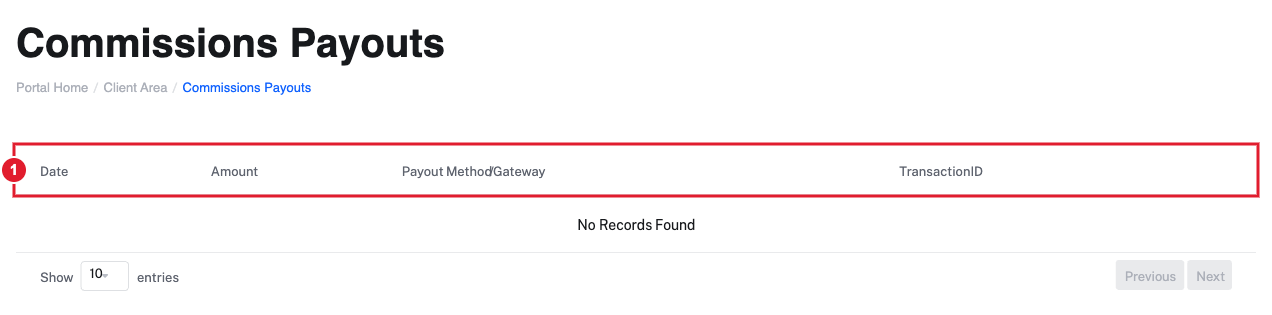
Commissions Payouts: (1) the table of payouts we have sent you.
Request a payout
- Open Affiliate Dashboard > Partner Dashboard.
- When your available balance reaches the minimum shown on that page, Request Withdrawal becomes available. Click it.
- We will contact you to confirm how you would like to be paid: bank transfer or a mailed check.
U.S. partners must have a W-9 on file before the first payout. Completed payouts appear under Commission Payouts.
Banners, logos and ready-to-use copy
Click Advertising Graphics in the Affiliate Dashboard menu to open our partner kit. It includes banners in standard sizes, social media graphics, our logos and badges, a one-page overview, and sample text for emails, posts and podcasts. Link your banners to your own referral link.
When you share your link, please include a short disclosure, for example: "This contains affiliate links. We may earn a commission at no extra cost to you."
Still need help?
Open a support ticket and choose the Sales department. Include your name and company so we can help on the first reply.
