
Every domain you have with us is managed from the Client Area: nameservers, DNS records, auto-renew, registrar lock and transfer codes. This guide shows where everything is.
Open your domain
- Log in to the Client Area.
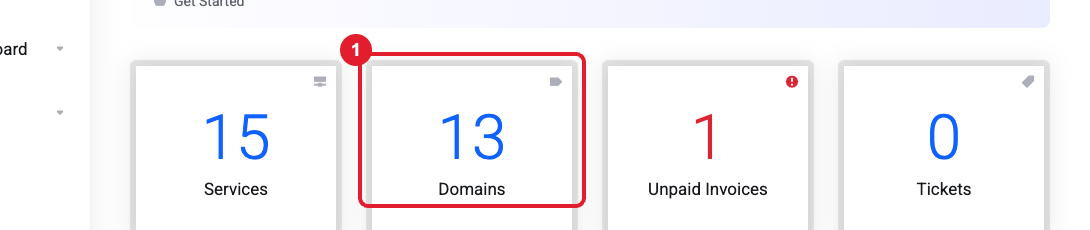
- On your dashboard, click the (1) Domains box.
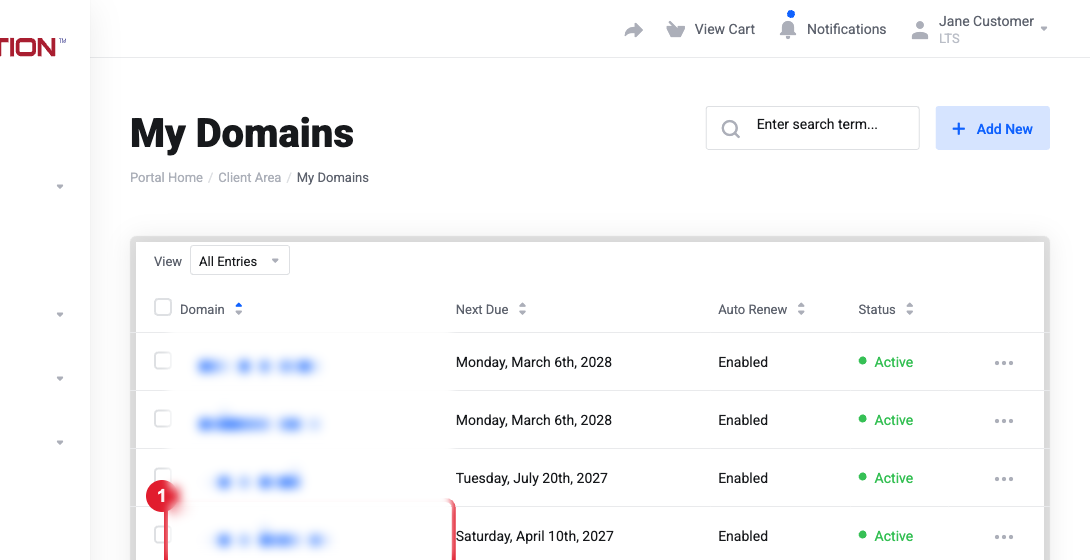
- Your domains are listed with their renewal date and status. Click the domain (1) to manage it, or use the (2) … menu for shortcuts (Nameservers, Contact Information, Auto Renew, Renew).
What's in the Manage menu
On the domain's page, the Manage menu gives you:
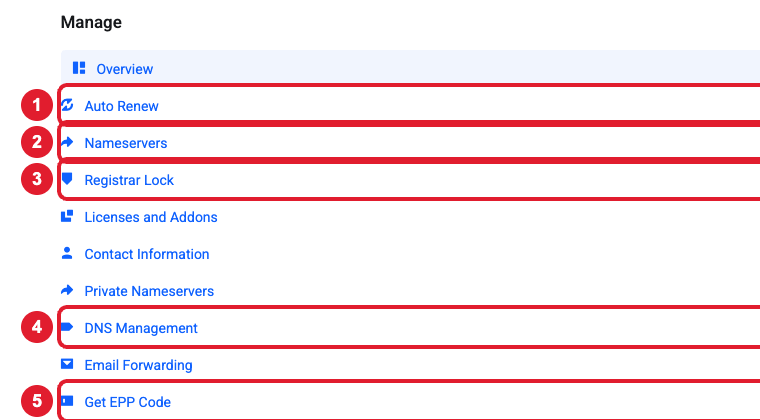
- Auto Renew: turn automatic renewal invoices on or off.
- Nameservers: choose which DNS servers your domain uses.
- Registrar Lock: lock the domain against unauthorized transfers (unlock it only when you're transferring away).
- DNS Management: add or edit DNS records (A, CNAME, MX, TXT) when you use our default nameservers.
- Get EPP Code: get the authorization code needed to transfer the domain to another registrar.
You'll also find Contact Information (the registrant details that must be accurate), Private Nameservers, Email Forwarding and DNSSEC Management.
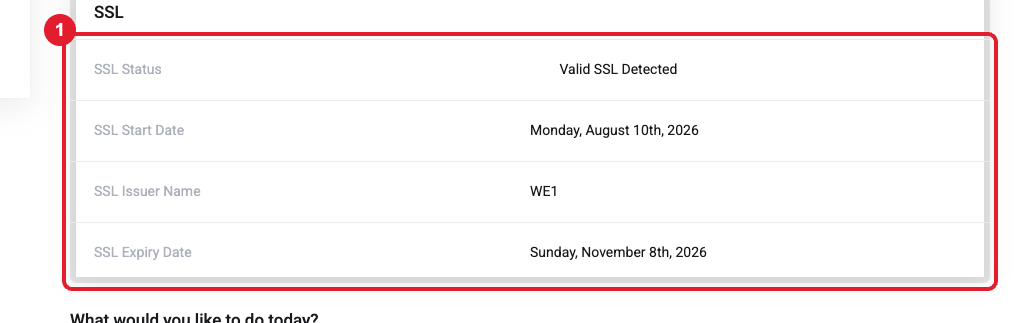
The domain's Overview page also shows its SSL status (1), which is handy for checking that your website's certificate is valid.
Still need help?
Open a support ticket and include the details listed above so we can resolve it on the first reply.
