
You can cancel any service yourself from the Client Area. Requesting cancellation stops future invoices. Domains work a little differently: you turn off Auto Renew so the domain simply expires at the end of its term.
Cancel a hosting, email, Hub for Teams, Campaign or other service
- Log in to the Client Area and click My Services.
- Click the service you want to cancel to open its Product Details page.
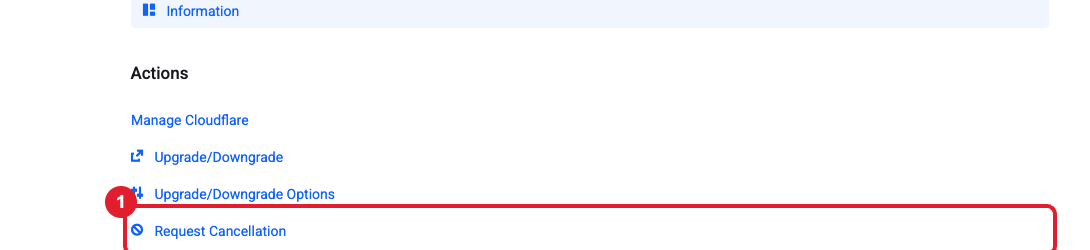
- Under Actions, click (1) Request Cancellation.
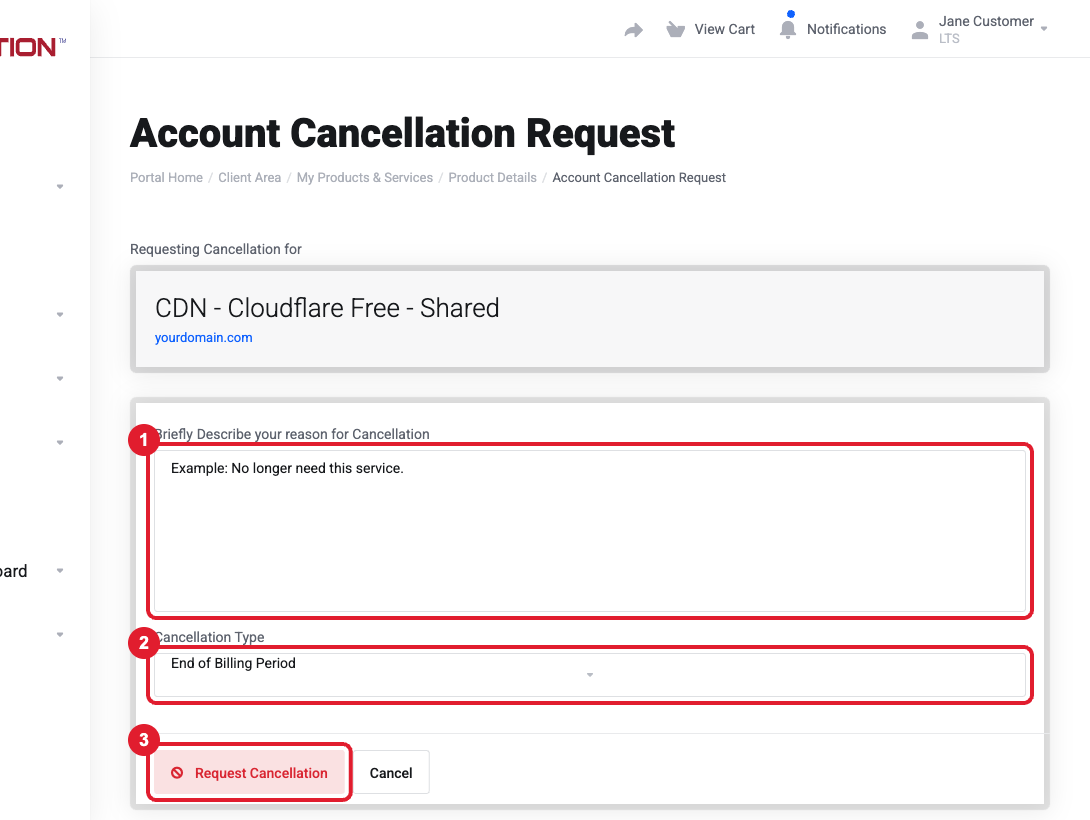
- Give a short (1) reason. It helps us improve.
- Choose the (2) Cancellation Type:
- End of Billing Period (recommended): the service keeps working until the date you've already paid for, then stops.
- Immediate: the service is removed right away and its data (website files, mailboxes) is deleted.
- Click (3) Request Cancellation.
Important: Download anything you want to keep before an immediate cancellation: website backups, emails, files in Hub. Once a service is terminated, its data can’t be recovered.
Stop a domain from renewing
- Open the domain (dashboard Domains box > click the domain).
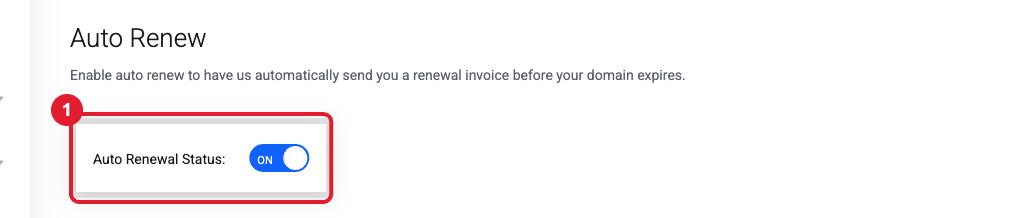
- Click Auto Renew in the Manage menu and switch (1) Auto Renewal Status to OFF.
- You'll still get expiry reminder emails. That's normal, and you can ignore them. The domain expires at the end of its term.
Removing some users or licenses (Hub for Teams / Liberation Email)
If you only want to reduce the number of email users or licenses, not cancel everything, open a ticket listing the email addresses to remove and the date. Partial reductions are processed by our team so that the rest of your organization isn't affected. Please send the request a few days before your next billing date.
Common questions
- I cancelled but still got an invoice. An invoice may have been generated before your request. Open a Billing ticket and we'll cancel it.
- I don't see Request Cancellation. Some add-ons (for example Marketgoo) are managed through their parent service. Open a ticket and we'll cancel it for you.
- Will cancelling my hosting stop my email? Liberation Email and Hub for Teams are separate services from website hosting, so cancelling hosting does not cancel email. If your domain's DNS is hosted with that account, though, ask us first so your email records stay in place.
Still need help?
Open a support ticket and include the details listed above so we can resolve it on the first reply.
