
The builder saves your work automatically. Backups let you go back to an earlier version of the whole site, for example before you try a new template.
Save a backup
- Click ☰ (top left) and choose Backups.
- Type a name, such as Before redesign, and click Save.
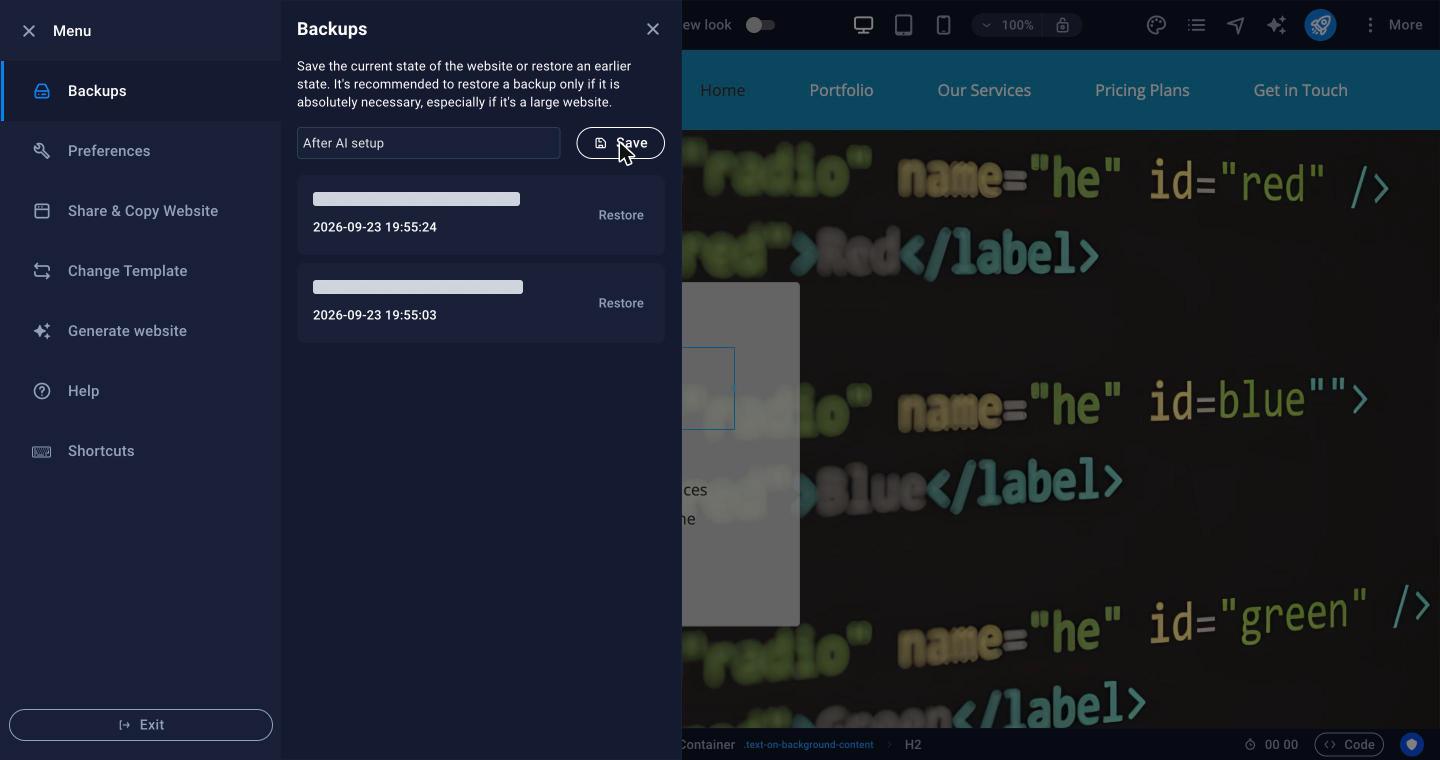
Restore a backup
Click Restore next to the backup you want. The editor goes back to that version. Then publish to update the live site.
Important: Restoring replaces the whole site in the editor, including pages you added since that backup. Save a new backup first so you can undo the restore.
For small mistakes, Undo at the top of the editor is quicker.
Tip: Your hosting account backups (in cPanel) include the published website files. See Getting Started with Shared Hosting for your hosting tools.
