
Your plan has limits on disk space and on server resources such as CPU and memory. Here's how to see what you're using.
Disk space
The cPanel home page shows Disk Usage in the statistics panel on the right, with your total used and your plan's limit. For a breakdown by folder:
- Log in to the Client Area, go to Services > My Services and open your hosting service.
- Click Log in to cPanel in the menu on the left.
- In cPanel, click Disk Usage. You can also type its name into the Search Tools box at the top.
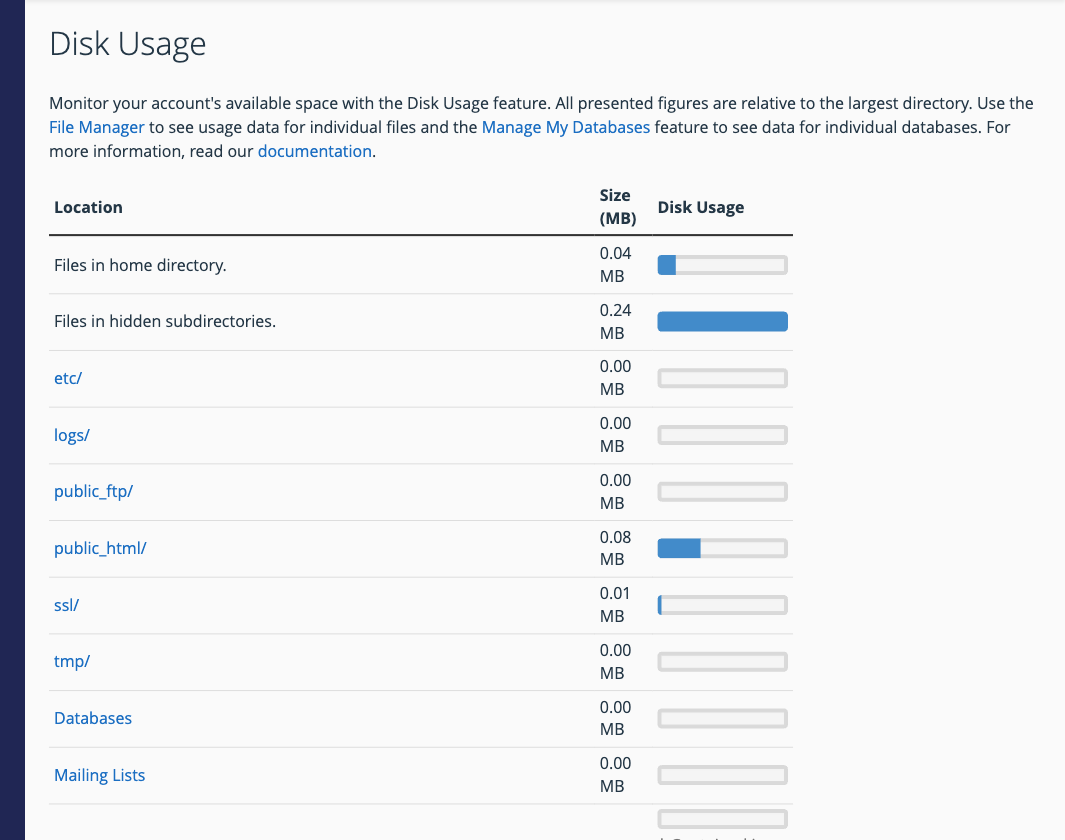
The table lists each top-level folder plus your databases and mailing lists, with a bar showing how they compare. Scroll down to browse folders further and sort them by size, to find what's taking up space.
CPU, memory and processes (Resource Usage)
If your site feels slow or shows "Resource Limit Is Reached" or "508" errors, it may be hitting your plan's CPU, memory or process limits.
- Log in to the Client Area, go to Services > My Services and open your hosting service.
- Click Log in to cPanel in the menu on the left.
- In cPanel, click Resource Usage. You can also type its name into the Search Tools box at the top.
The Dashboard tab tells you whether your account has hit any limits recently. Current usage shows live usage against your limits, and Snapshot shows which processes and database queries were running at a given time, which helps you find a heavy plugin or page.
Bandwidth
Click Bandwidth in the Metrics section of cPanel to see how much data your sites have transferred.
If you often hit your limits, keep WordPress, plugins and themes up to date (see Install and Manage WordPress with WP Toolkit) and remove plugins you don't use. If your site has simply outgrown the plan, or you're not sure what's using the resources, open a support ticket and we'll help you choose the right plan.
