
Leech Protection works with Directory Privacy. If one username for a password-protected folder is used too many times in a short period, for example because someone posted it online, Leech Protection redirects that user and can disable the login.
- Log in to the Client Area, go to Services > My Services and open your hosting service.
- Click Log in to cPanel in the menu on the left.
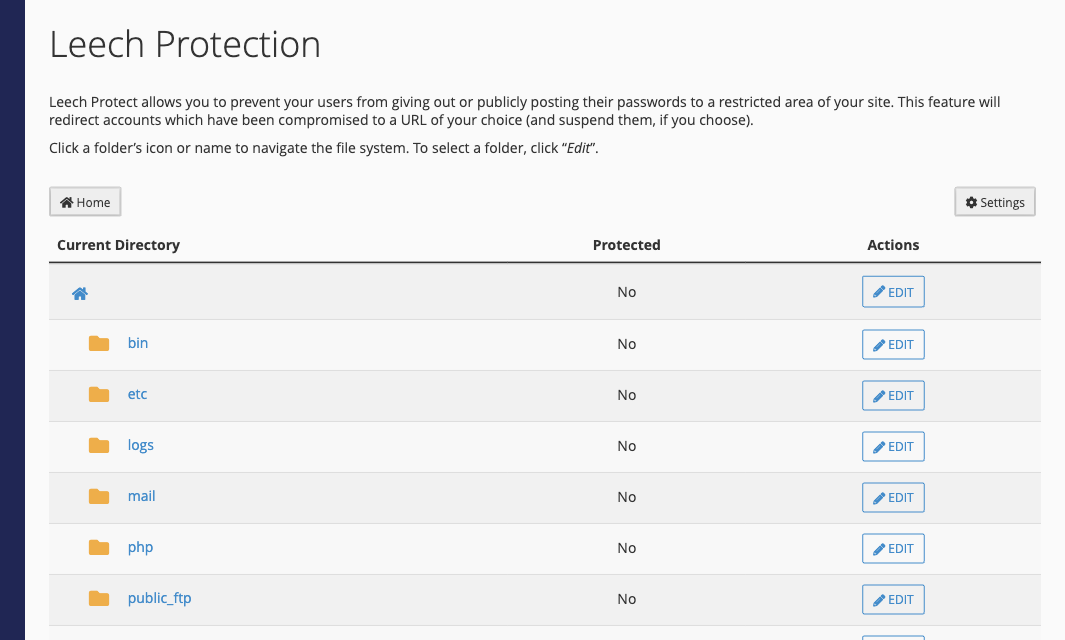
- In cPanel, click Leech Protection. You can also type its name into the Search Tools box at the top.
- Click the folder names to find the protected folder, then click Edit next to it.
- Enter the number of logins per username allowed in a 2-hour period.
- Enter a URL to redirect leeching users to.
- Optionally tick the boxes to send an email alert and to disable compromised users.
- Click Enable.
To turn it off, click Edit next to the folder again and click Disable.
