
Appointments gives you a public booking page so clients can pick a time that works for you. Bookings go straight into your Hub calendar.
Create a booking page
- Log in at hubforteams.com.
- Open Appointments from the top bar (it may be under the … menu).
- Click Add New Page and give the page a name, such as Book a call.
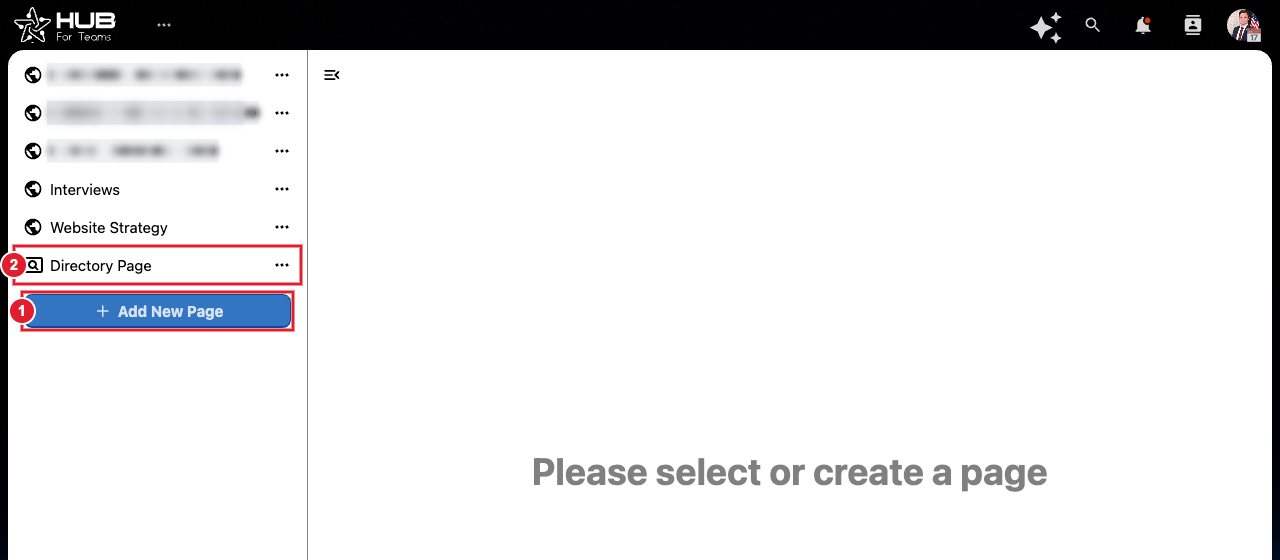
(1) Add New Page (2) Directory Page: one link that lists all your booking pages
- Open the page's … menu to set it up: which calendar to use, appointment length, the hours you're available, and the form clients fill in.
- Copy the page's public link and share it, or add it to your website or email signature.
Learn more: Appointments Quick Start Guide and Setting up and Managing Appointments.
