
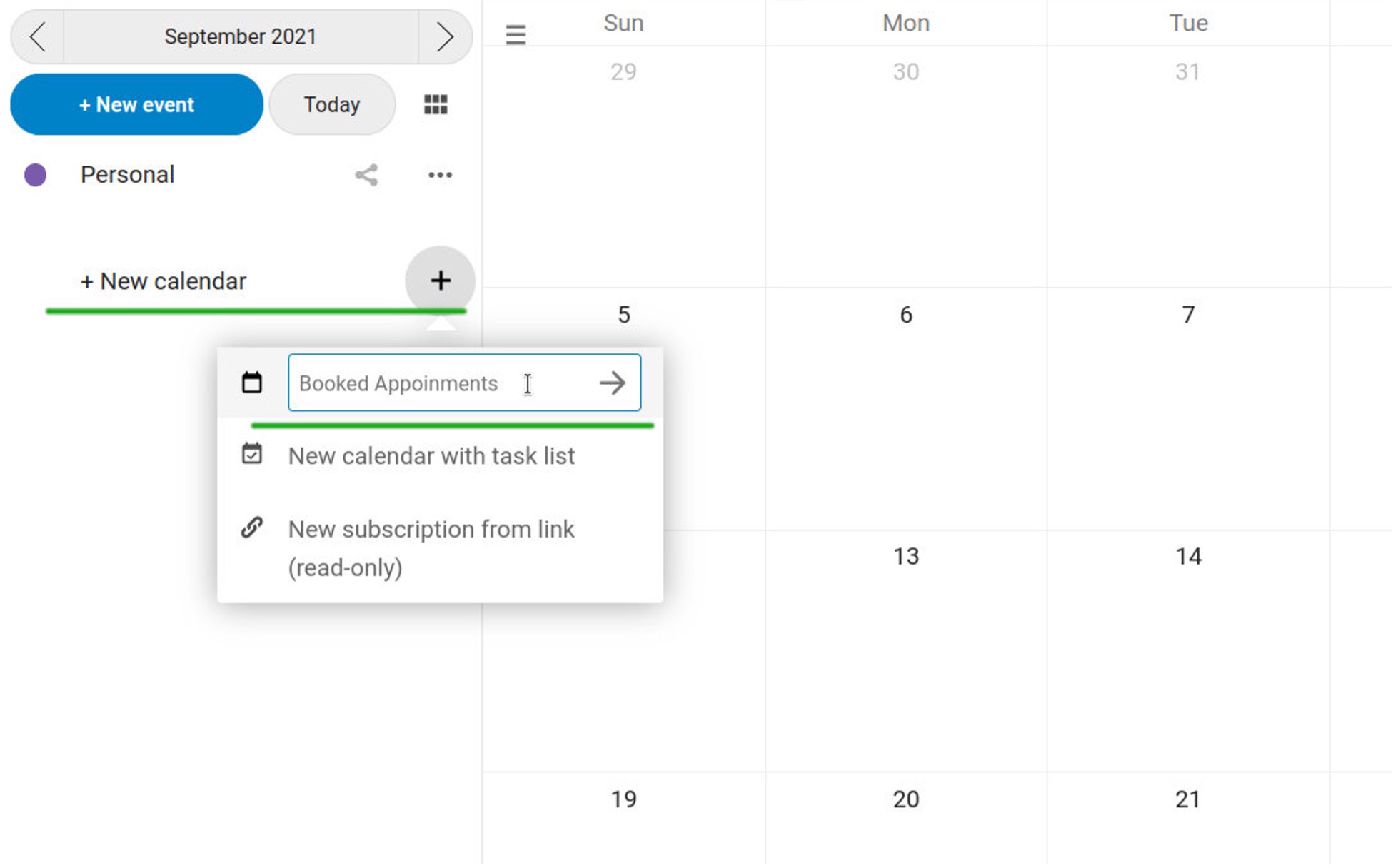
- Add a new calendar (in "Calendar" App)
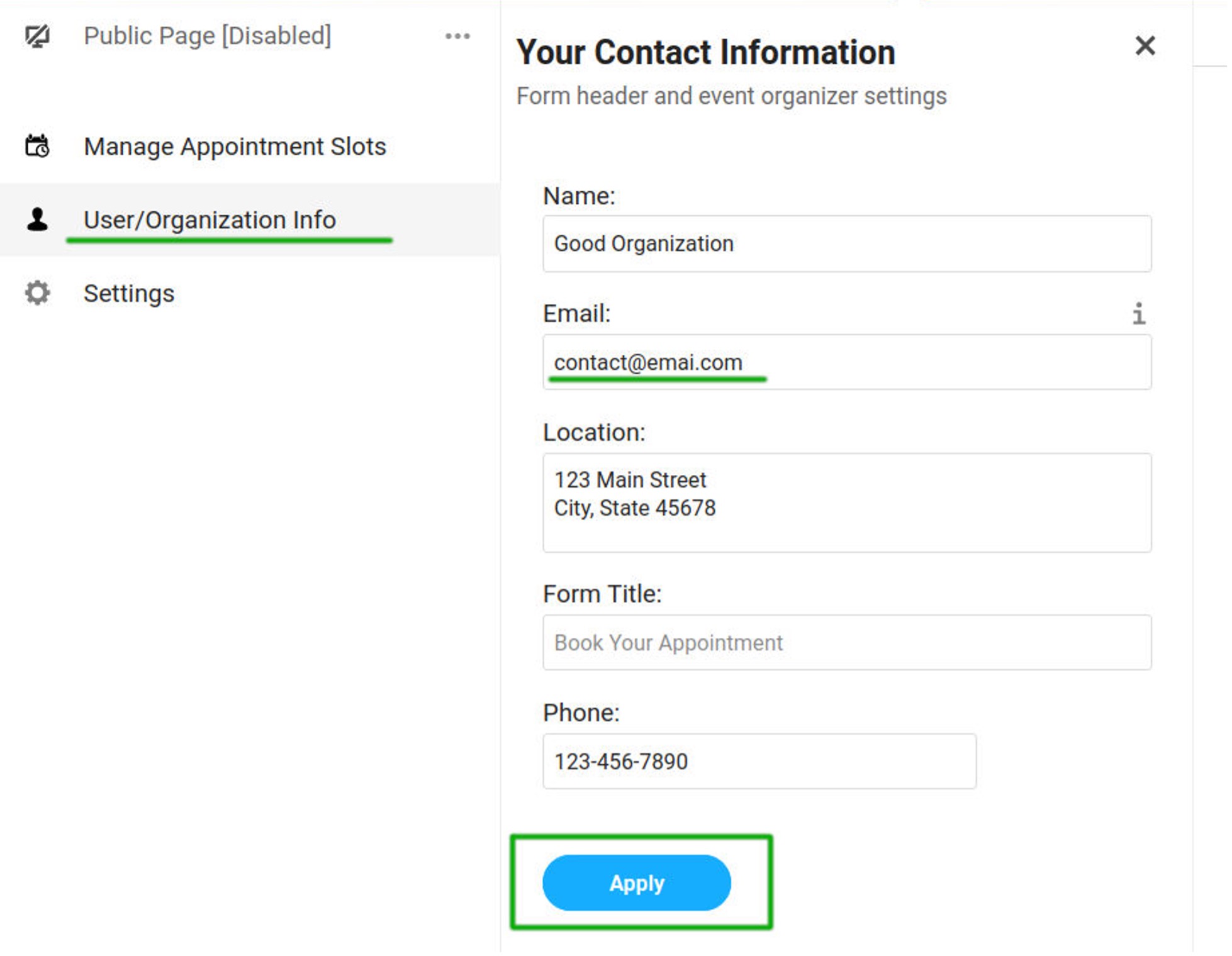
2. Add contact info
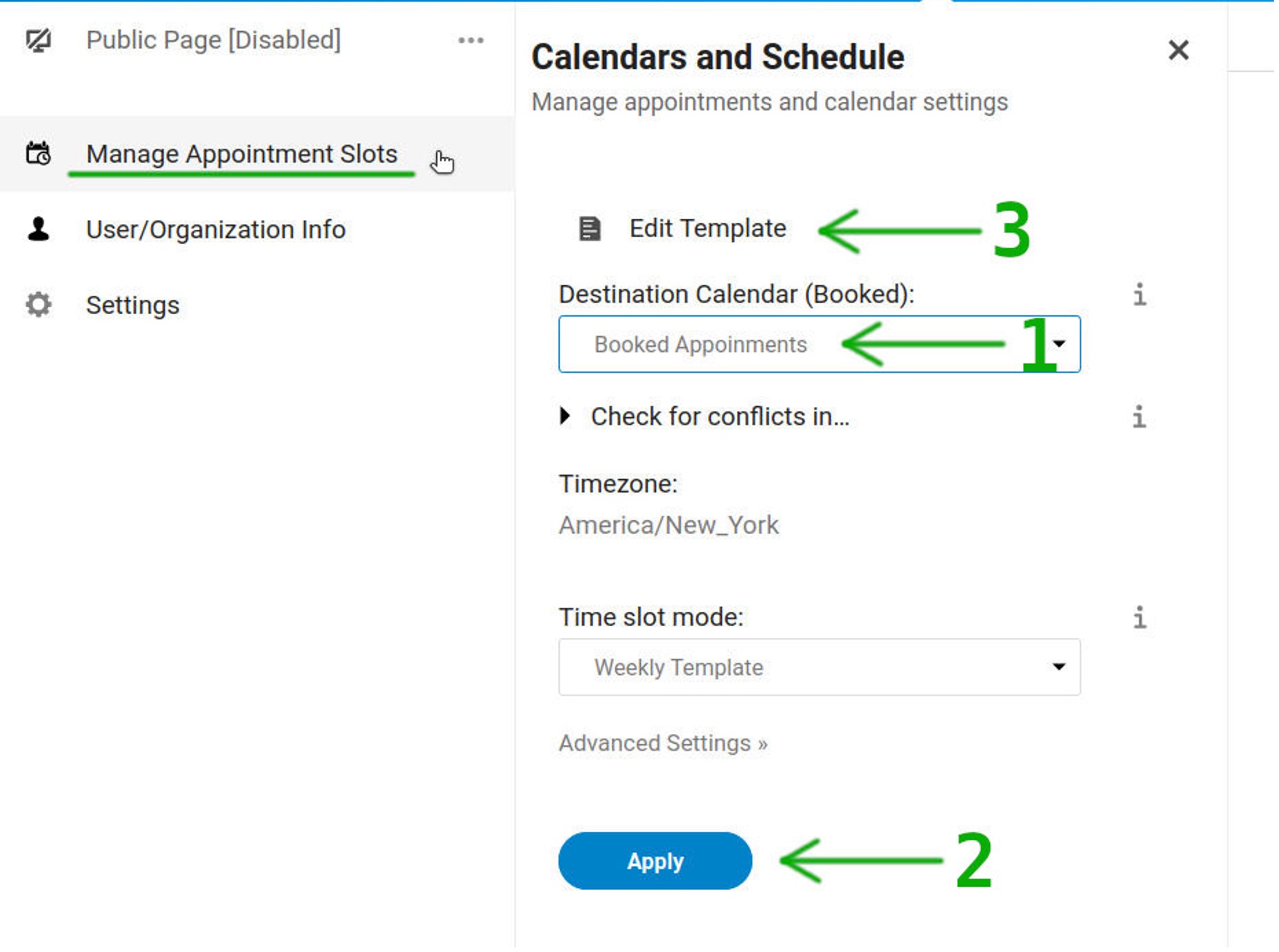
3. Select Calendar, Apply and Click "Edit Template"
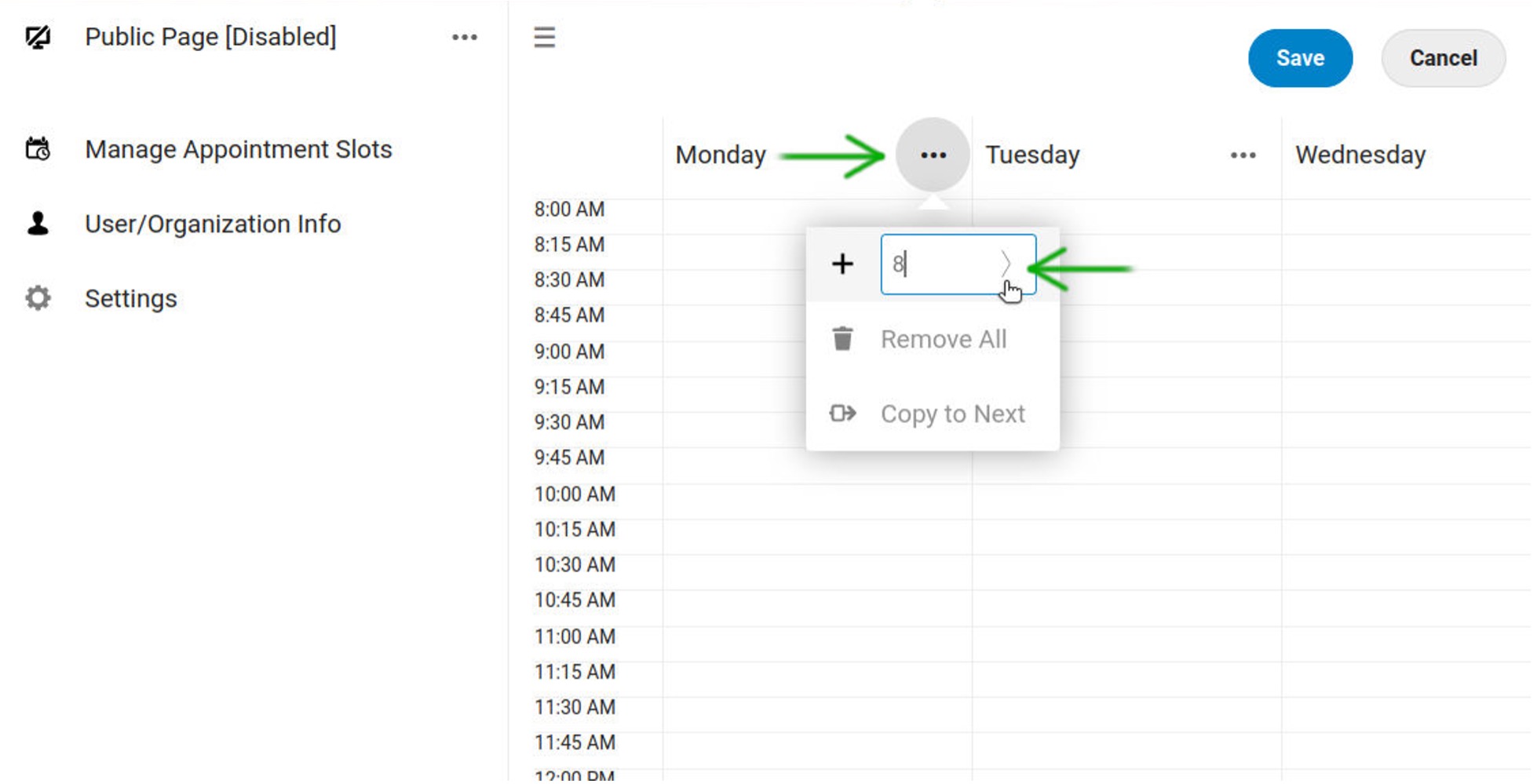
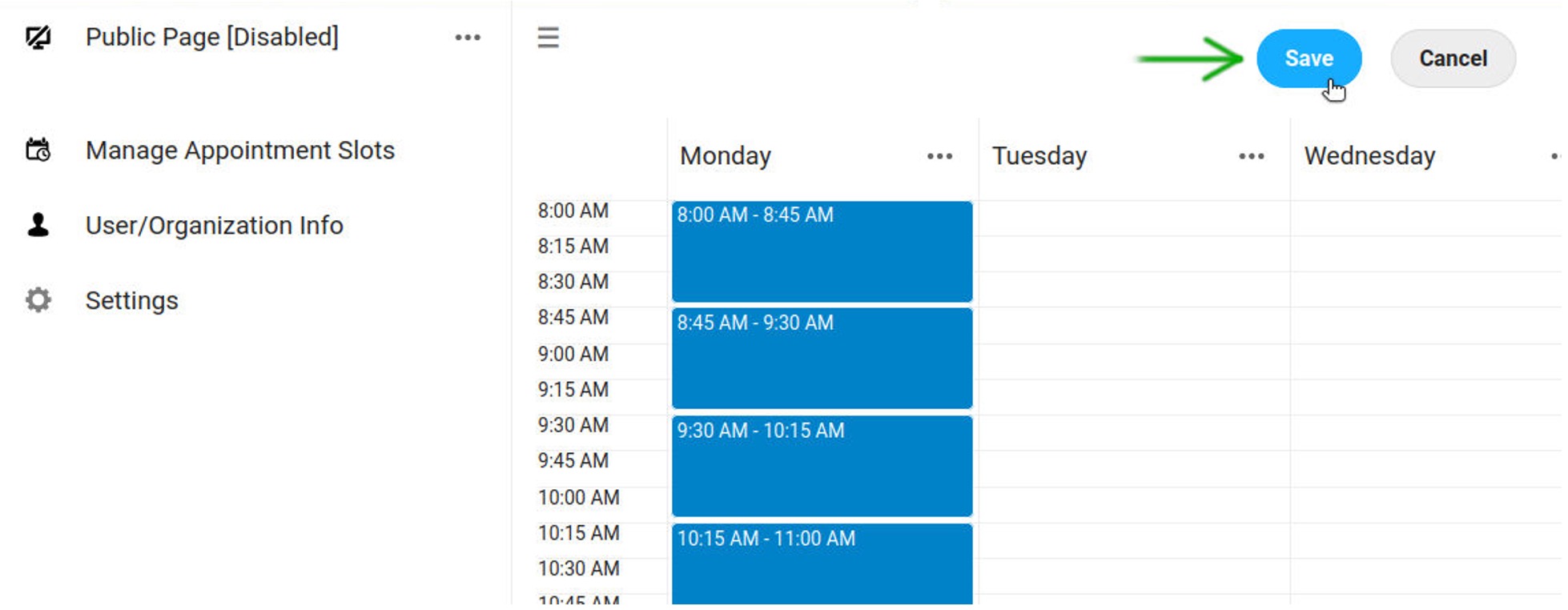
4. Add appointment slots
5. Save the template
6. Enable sharing
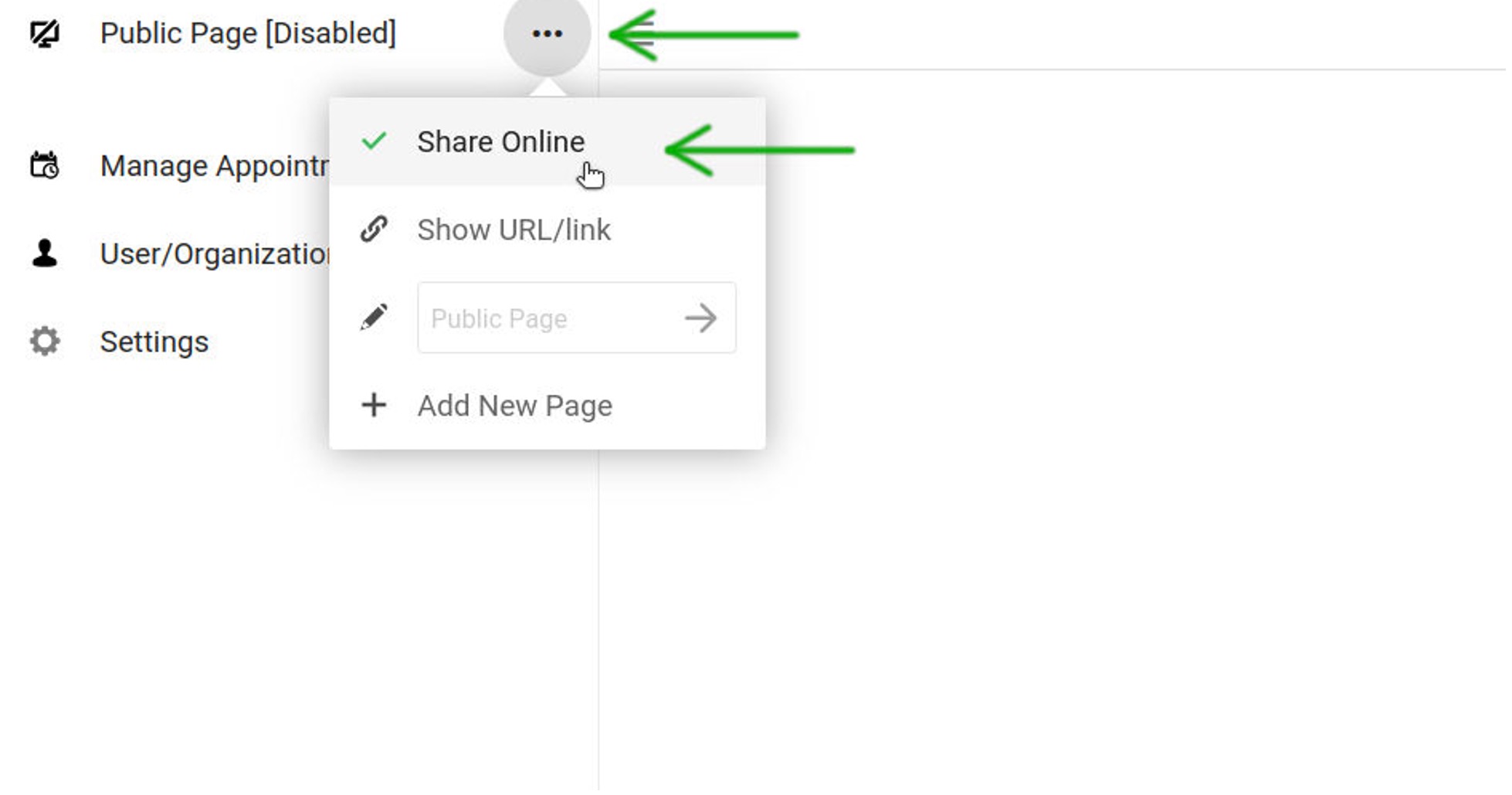
7. Get appointments page URL
2. Add contact info
3. Select Calendar, Apply and Click "Edit Template"
4. Add appointment slots
5. Save the template
6. Enable sharing
7. Get appointments page URL
Using the Calendar app The Hub Calendar app works similarly to other calendar applications...
Using the Contacts app The Contacts app is not enabled by default in Hub latest and needs to be...
Quick Start Guide Create a calendar and select the settings Select a calendar to book...
Bring your Google contacts and calendars into your Hub by connecting your Google account....
