
Which webmail?: This article is for the Liberation Mail webmail at mail.liberation.email. It is the main webmail for Email Pro accounts managed in the Client Area, and the backup webmail for Hub for Teams users. If you use the Hub, see Using Hub Email instead.
The full headers of an email are the technical details that travel with every message, such as which servers handled it and when. You usually don't need them, but they help when you want to check who really sent a message, or when our support team asks for them.
- In the Liberation Mail webmail, click the message to open it.
- Click the three dots (More mail options) in the top right of the message.
- Click View Message Source. The full message opens, with all the headers at the top.
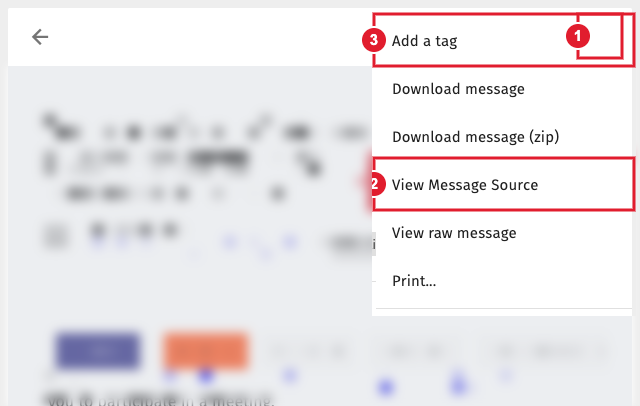
(1) More mail options (2) View Message Source (3) Add a tag
Sending the headers to support? Copy everything from the top of the source down to the first blank line and paste it into your ticket.
