
SiteLock scans your website for malware and security problems and alerts you if it finds anything. It also gives you a Trust Seal you can show on your site so visitors know it's been checked. SiteLock works with any website, including sites that aren't hosted with us.
SiteLock Lite (free)
Every shared hosting plan includes SiteLock Lite at no extra cost. To find it, open your hosting service in the Client Area (Services > My Services) and click Licenses and Addons. You'll see a SiteLock - Lite panel marked "FREE!". If it's missing, open a support ticket and we'll add it.
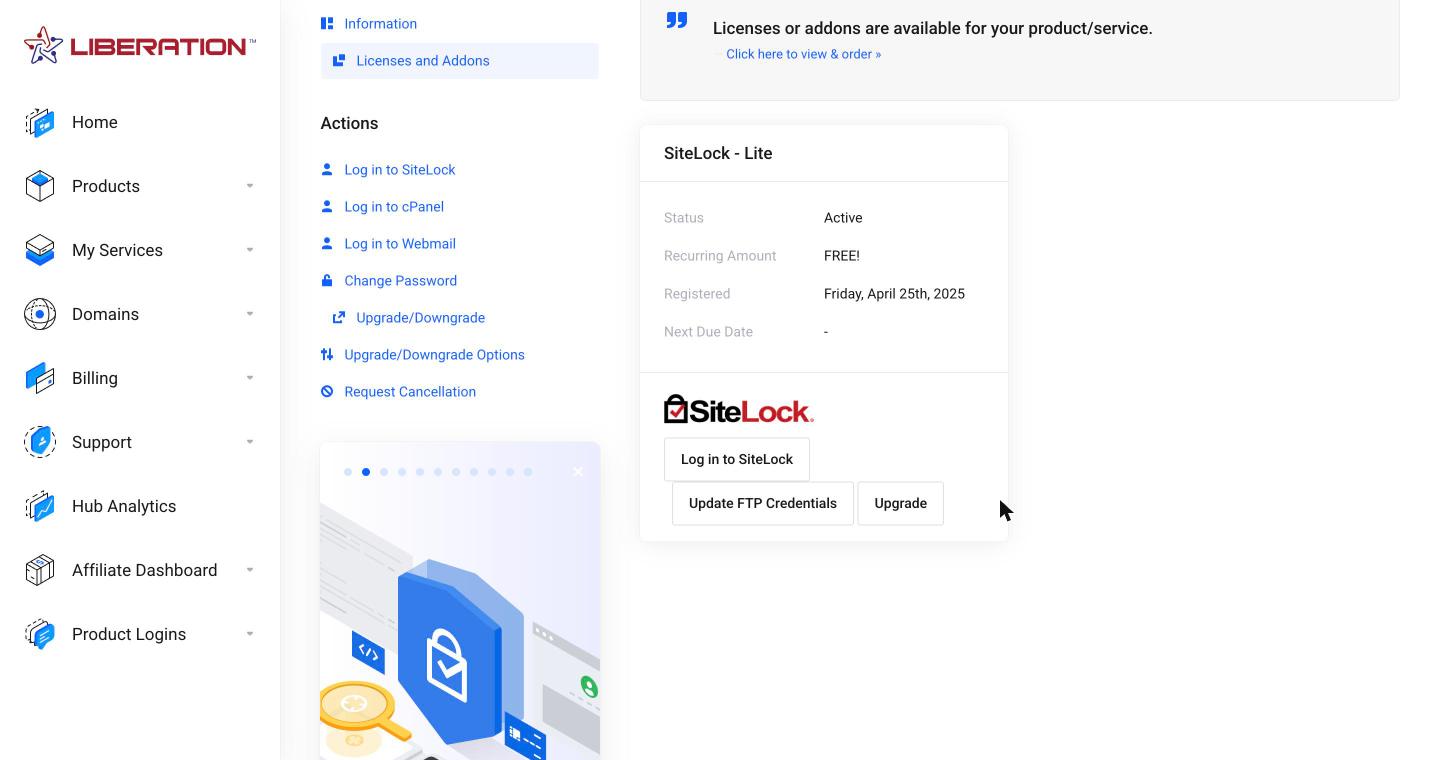
SiteLock Lite includes a daily scan of your home page for malware and malicious links, a vulnerability check of your site's software, a Risk Score, and the SiteLock Trust Seal. It only checks what's publicly visible and doesn't remove malware for you.
Paid plans
| Find | Fix | Defend | |
|---|---|---|---|
| Best for | Finding problems early | Finding and removing malware automatically | Finding, fixing and blocking attacks, with faster page loads |
| Pages scanned daily | 25 | 500 | 500 |
| Daily malware scan and blacklist monitoring | Yes | Yes | Yes |
| Application, SQL injection and cross-site scripting (XSS) scans | One time | Daily | Daily |
| Automatic malware removal (daily SMART scans) | No | Yes | Yes |
| WordPress scan and spam blacklist monitoring | No | Yes | Yes |
| Web application firewall and global CDN | No | No | Yes |
| Trust Seal and Risk Score | Yes | Yes | Yes |
See current prices in our store under Products > SiteLock Security. Longer terms cost less per year, and Fix and Defend can also be paid monthly.
Order
- Go to Products > SiteLock Security in the Client Area.
- Click Buy Now under the plan you want and choose a term.
- Choose your domain and check out.
Already have SiteLock Lite? Click Upgrade on the SiteLock - Lite panel instead. See SiteLock: Upgrade, WordPress Plugin and Fix Common Problems.
Next: SiteLock: Log In, Read Your Security Report and Add the Trust Seal.
