
SEO (search engine optimization) helps people find your site on Google and other search engines. The builder handles the technical side for you: it creates a sitemap.xml when you publish and makes every page mobile-friendly. Your part is good titles and descriptions.
Site-wide SEO
Open More > Website Settings > SEO / Meta (or More > SEO Settings):
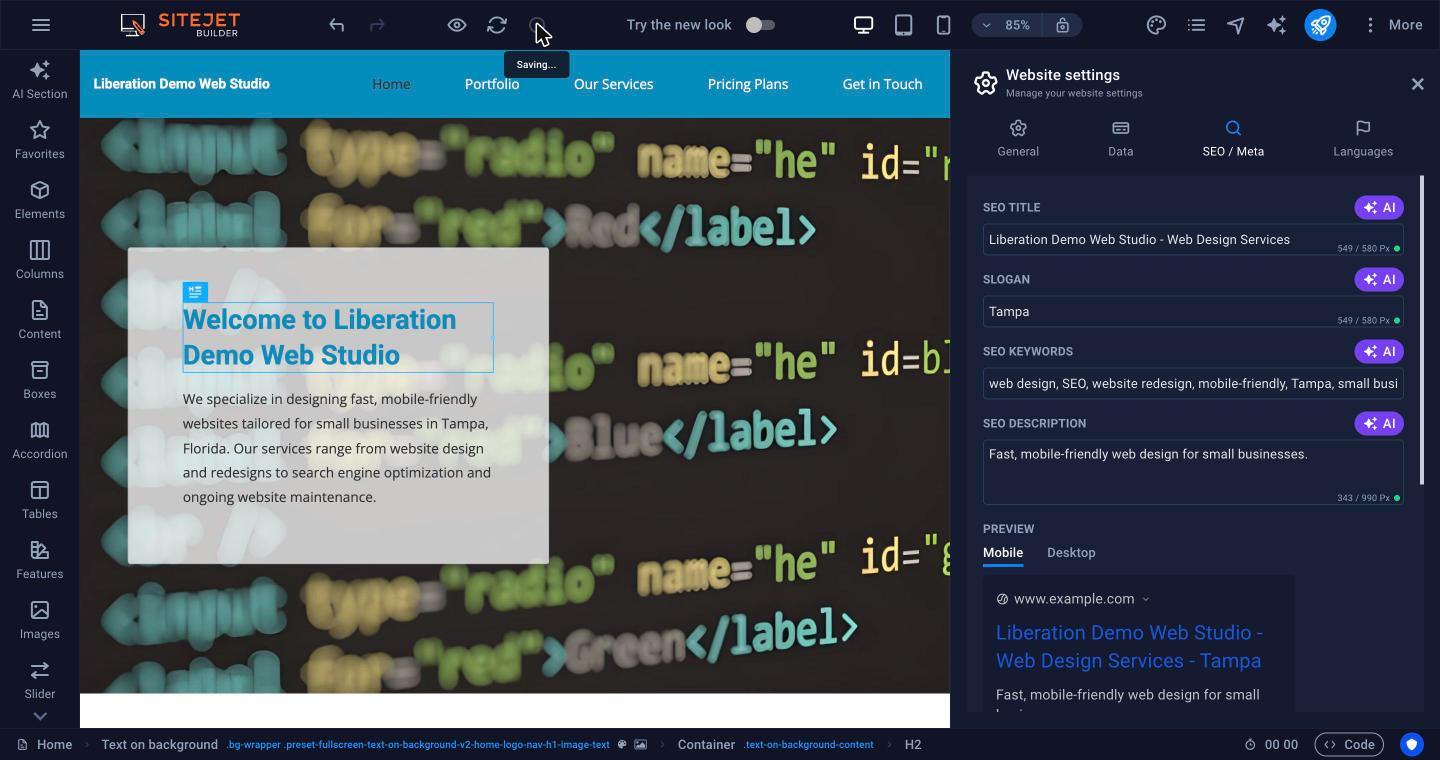
- SEO title, Slogan, SEO keywords and SEO description. Click AI next to each for a suggestion, then edit it. The preview underneath shows how your site may look in search results on mobile and desktop.
- Noindex: keep this off unless you don't want the whole site in search engines.
- Meta tags: add verification tags, for example for Google Search Console.
- Google Analytics ID: paste your measurement ID to track visitors.
- Google Maps API key: only needed if a map element asks for one.
Page SEO
Give each page its own title and description in its page settings. See Pages, Menus and Page Settings. Blog posts have their own SEO settings too.
SEO Analysis
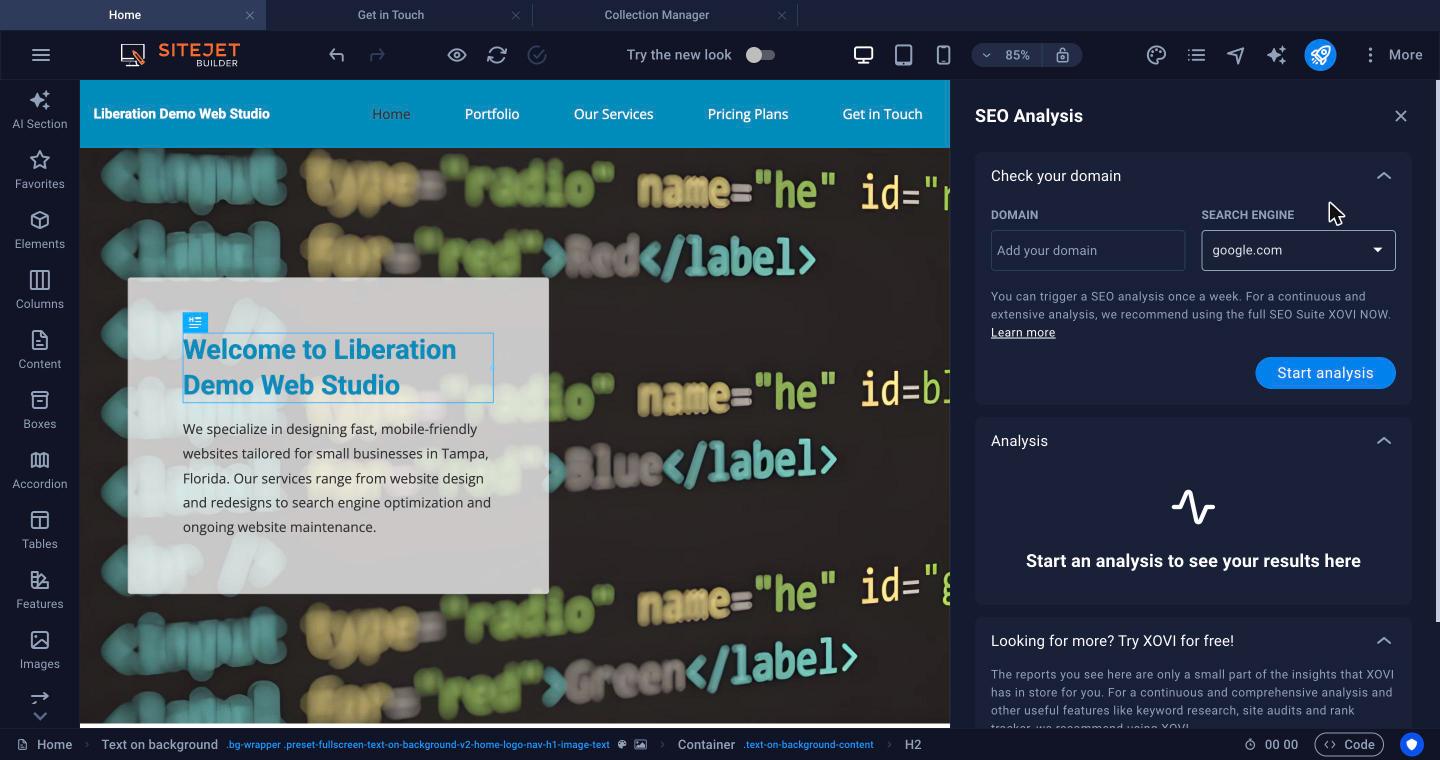
Open More > SEO Analysis, enter your domain, choose the search engine and click Start analysis to get a report with things to improve. You can run it once a week, after your site is published. The panel also advertises a paid SEO tool; it isn't part of your plan and you don't need it.
Get listed on Google
After publishing, add your site to Google Search Console and submit https://yourdomain.com/sitemap.xml so Google finds all your pages quickly.
