
If you are logged in into your WordPress admin account, you can easily change your password.
1. Login to your WordPress admin dashboard.
2. Under the dashboard menu, hover your mouse over Users and then click on Your Profile.
3. Scroll down, and under Account Management, you can see the New Password option. Click on the Generate Password button.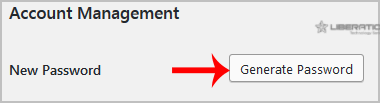
4. Copy the password to a safe place and then click on Update Profile to change your password.
Most Popular Articles
How to Install a Plugin in WordPress?
You can install a plugin in WordPress in several ways. The best way to install a plugin is to use...
How to Manually Install a Plugin in WordPress?
The automatic installation of a plugin is easy, and you can also install on manually. It will...
How to Deactivate and Delete a Plugin in WordPress?
If your plugin is not in use or you wish to deactivate it, you can do this from the WordPress...
How to Forcefully Update a Plugin in WordPress?
If your WordPress plugin is not working correctly or you want to re-install it even when it is...
How to Change the Display Name of a WordPress User Account?
You can change the display name of your WordPress account, which shows on a WordPress post or...
