
The .htaccess file in your public_html folder controls how the web server handles your site. Edit it in File Manager (turn on Show Hidden Files in Settings to see it). If you use WordPress, add your rules above the # BEGIN WordPress line so WordPress doesn't overwrite them.
Send all visitors to HTTPS
RewriteEngine On
RewriteCond %{HTTPS} off
RewriteRule ^(.*)$ https://%{HTTP_HOST}/$1 [L,R=301]
Install an SSL certificate first (see Install a Free SSL Certificate).
Short, friendly URLs
Show /files/folder/sitemap.html at yourdomain.com/sitemap:
RewriteEngine On
RewriteRule ^sitemap/?$ /files/folder/sitemap.html [L]
Stop visitors listing your folders
If a folder has no index file, the server may show a list of its files. To turn that off for the whole site:
Options -Indexes
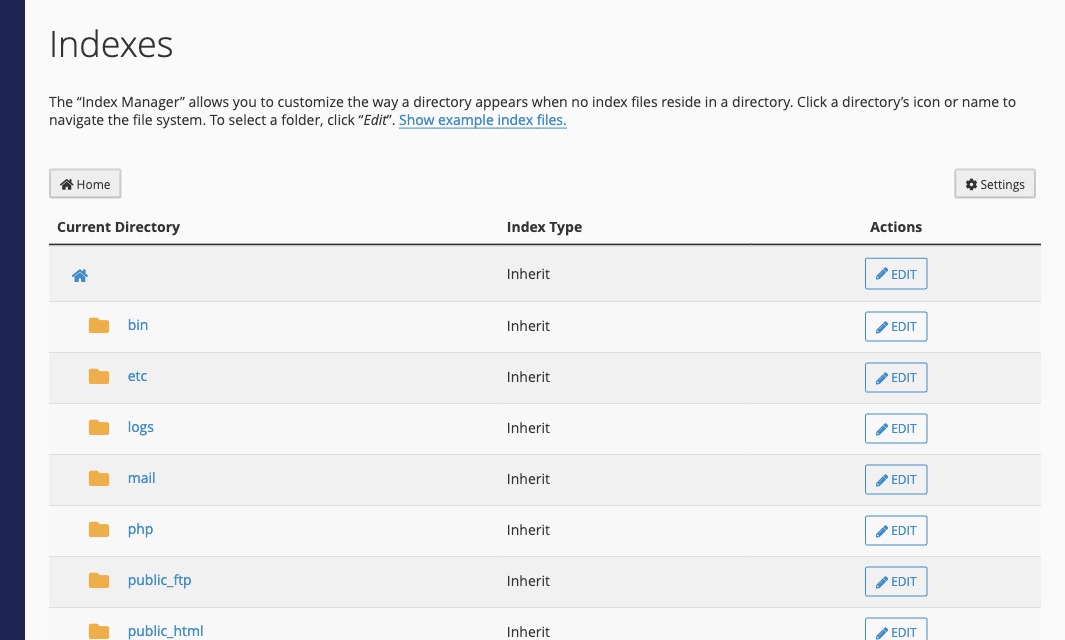
You can also do this without editing files: in cPanel, open Indexes, click Edit next to a folder and choose No Indexing.
Block access to a file
For example, to stop anyone opening config.ini in a browser:
<Files "config.ini">
  Require all denied
</Files>
The server already blocks direct access to .htaccess itself, so you don't need a rule for that.
Redirects and blocking IP addresses
Use the cPanel tools instead of writing rules by hand: Redirect a Domain or Page and Block an IP Address.
